Colour in your day, 15 minutes at a time

Watch your day take shape.

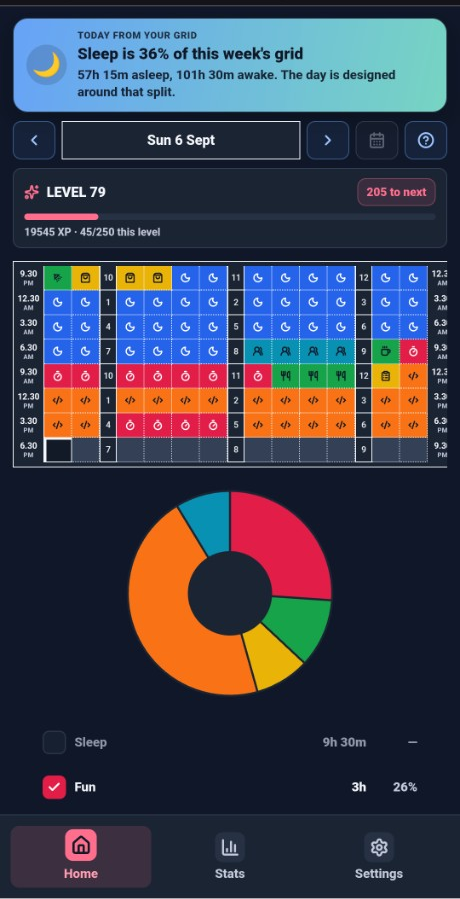
Most apps ask if you did the thing. LevelUpDaily asks where the hours went. Tap a 15-minute square, paint what you actually did, and a sleep-to-sleep colour strip sits under the grid. Stats round to hours, days, weeks, or months — totals since you started, not a streak to protect. Email/password signup sends Confirm this email to the address you typed. Completely free. No ads, no paywall.

Get it on Google Play

This opens the Play Store listing. If Play does not show the app yet, leave your Google account on the Android access page and we will send the install link.

Paint tomorrow morning

Before the day gets noisy, tap a few slots. A thin sleep-to-sleep colour strip sits under the 15-minute grid — same colours as the squares, not tappable. Sleep, deep work, and drift have a shape, not another list you already ignored.
Let Stats speak in days

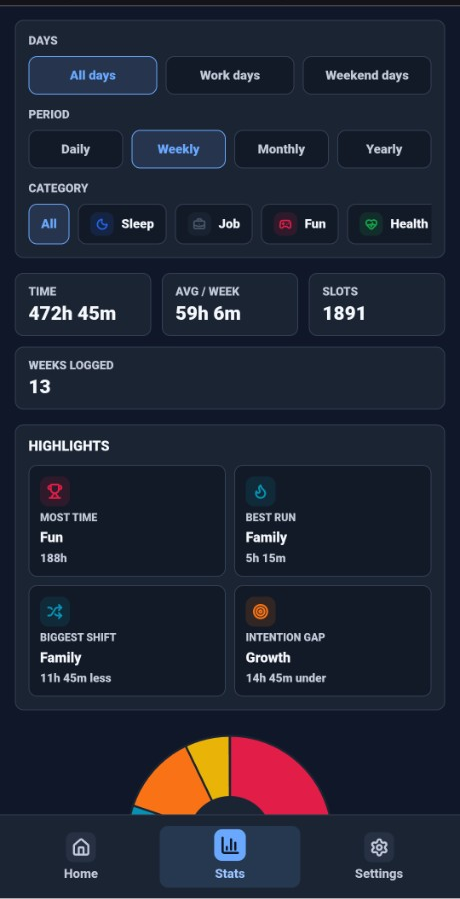
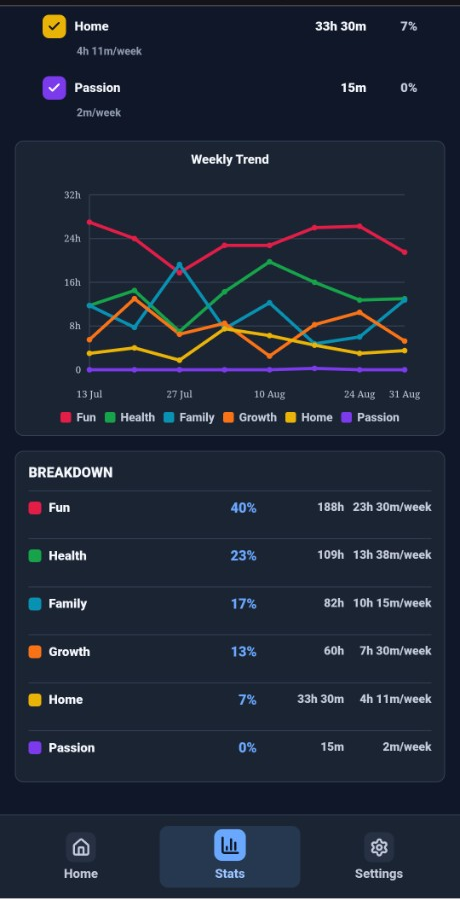
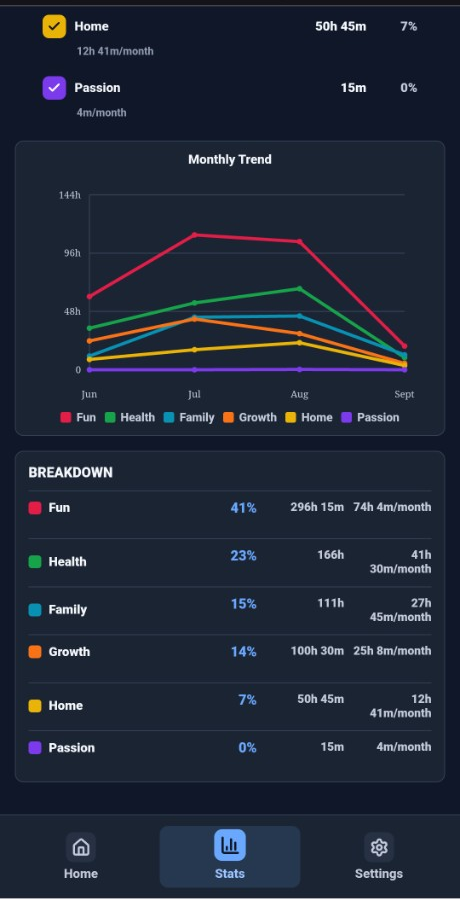
Four cards total everything since you started. Labels round to hours, days, weeks, or months — never 120h 15m. The pie and a clickable legend stack like Home; the trend sits under that. Sleep and Work start unticked so All is not your job plus bed unless you say so.

Grow some hours. Cap others.

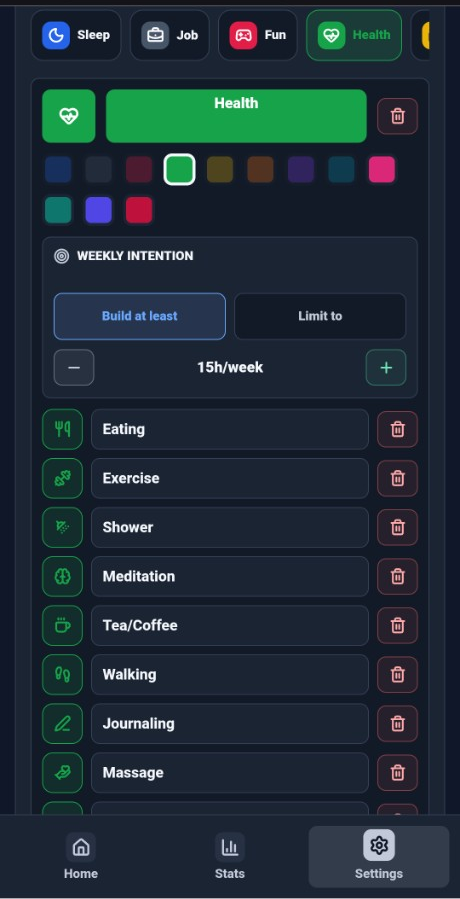
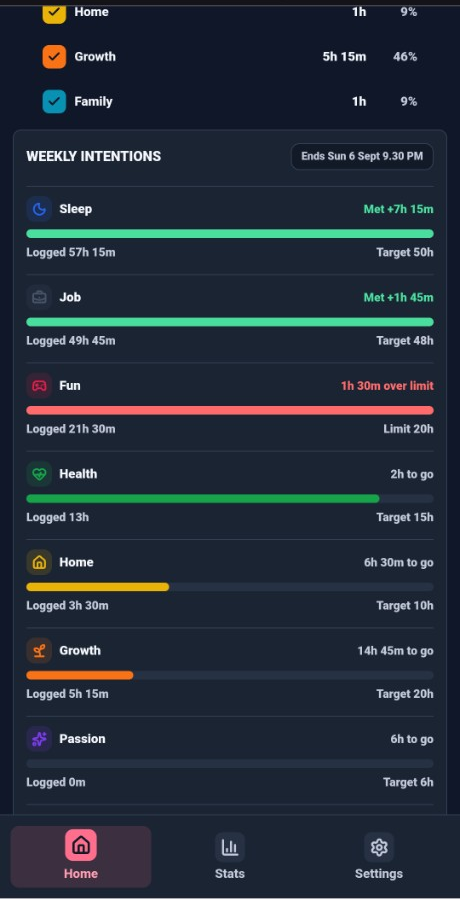
Weekly intentions let you grow the categories that matter and cap the ones that wander. Meet it, miss it, or go over a limit — the bar says so. Completely free. No ads, no subscription, nothing locked.

This is a grid that’s actually used

Sleep, work, health, home, learn, social — logged across real weeks. Keep tapping slots and this is the picture you get.

How to install

  1. Tap Get it on Google Play on the phone you will use.
  2. If Play hides the listing, open the Android access page with the Google account on that phone. We send the install link.
  3. Install LevelUpDaily and paint a few real days. Email/password signup sends Confirm this email to the address you typed — check inbox and spam.